How to Convert MBOX to PST Format? Complete Guide

Published: November 6th, 2025 • 5 Min Read
Overview: To free convert MBOX to PST you can use the manual method or trial version of the automated tool to import MBOX files further we will discuss in this blog. Converting MBOX to PST manually can be quite difficult and time-consuming when we move emails from one app to another, like from Thunderbird or Apple Mail (which use MBOX files) to Outlook (which uses PST files). Download the free version of MBOX to PST Converter to convert MBOX to PST and make conversion easy with simple clicks.
Discover the Main Reasons to Convert MBOX files into PST format
Here are the following reasons why you need to convert MBOX to PST to make the process simple and more efficient.
- It allows you to easily access or manage emails by keeping messages, contacts, calendars and attachments in one place or location.
- Users can also access PST files in Outlook offline whether MBOX files require an active internet connection.
- Email clients that support the MBOX file format must use Microsoft Outlook because it has more capabilities and is less expensive.
- Because it’s a Microsoft product, Outlook has superior security features over the competition.
- When MBOX files are in use by another program, file locking issues in MBOX can make it hard to view or move data.
- A common problem is file locking in MBOX, which prevents users from opening certain files.
Manual Method to Convert MBOX to PST
The manual method needs technical skills and good knowledge but it allows users free convert MBOX to PST. Follow the given steps to make conversion:
Convert MBOX to PST Manually Using Thunderbird and Outlook
- First, download or install both Thunderbird and Outlook on your computer.
- Then, create IMAP Account and configure it in both Thunderbird and Outlook using IMAP.
- Click on the Thunderbird menu and hit on Add-ons and Themes.
- Search Import/Export NG Tools and Add to Thunderbird.
- Click on Local folder and click on Import MBOX file and select as you wish to convert in PST file.
- Now, Open Outlook and hit on file.
- Click on Open & Export and hit on Import/Export.
- Press Export to a file and press Next button.
- Select Outlook data file(.pst) and hit on Next.
- Choose Outlook data file as you need in PST file.
- Browse destination and press finish to get converted MBOX file as Outlook PST format.
Limitations of the Manual Method
There are certain limitations when you convert MBOX to PST manually, as follows:
- Manual methods take a lot of time, especially if you have too many emails to move.
- You can’t convert files in bulk, as each mailbox has to be exported manually.
- This task has the potential to cause data to be altered.
- The method depends on having supported email clients installed.
- It requires more technical skills or knowledge, not easy for beginners
Automated Solution to Export MBOX files to PST Safely
Use a third-party solution to export MBOX files quickly and efficiently instead of relying on the built-in features of Outlook. It saves users time and doesn’t need to convert each file one by one as compared to manual methods. This method allows you to export files in bulk without file restriction. It helps users to convert files effortlessly with its simple interface for both technical and non-technical people. To export MBOX to PST you must have a reliable MBOX Email converter because software provides helpful features that make conversion easy and effective.
Before you proceed to further information a recommended tool try out for a smooth Conversion MBOX to PST.
Steps to Export MBOX file to PST format:
- Launch and open MBOX to PST Converter software on your computer.
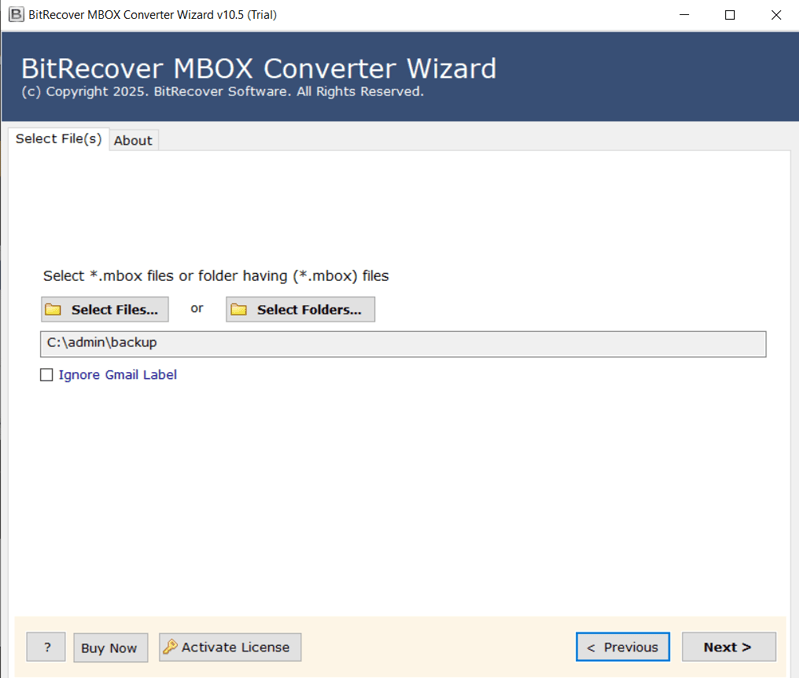
- Browse and add MBOX files or folders you want to convert to a PST file.
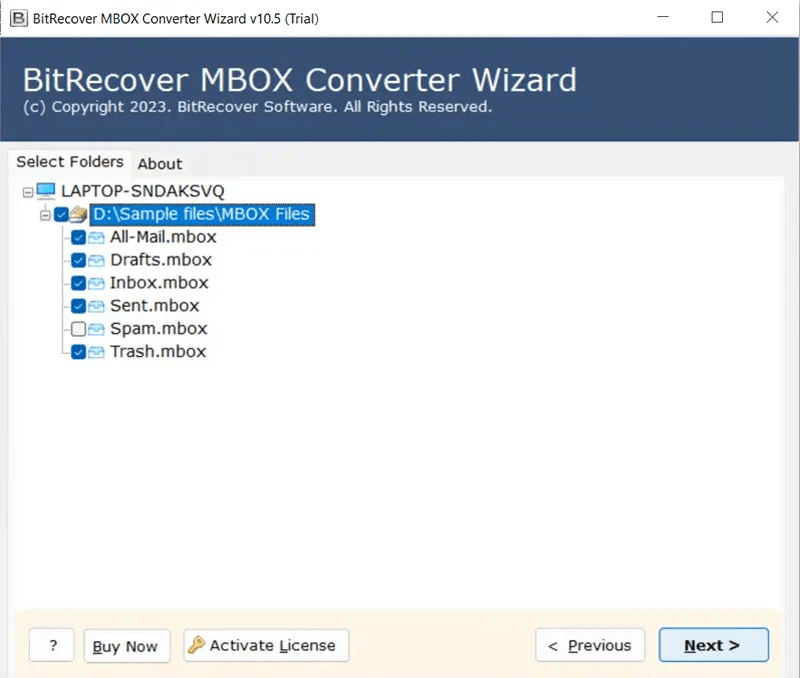
- Choose PST as a saving option from a list and click Next.

- Select the desirable location where you want to save the PST file.
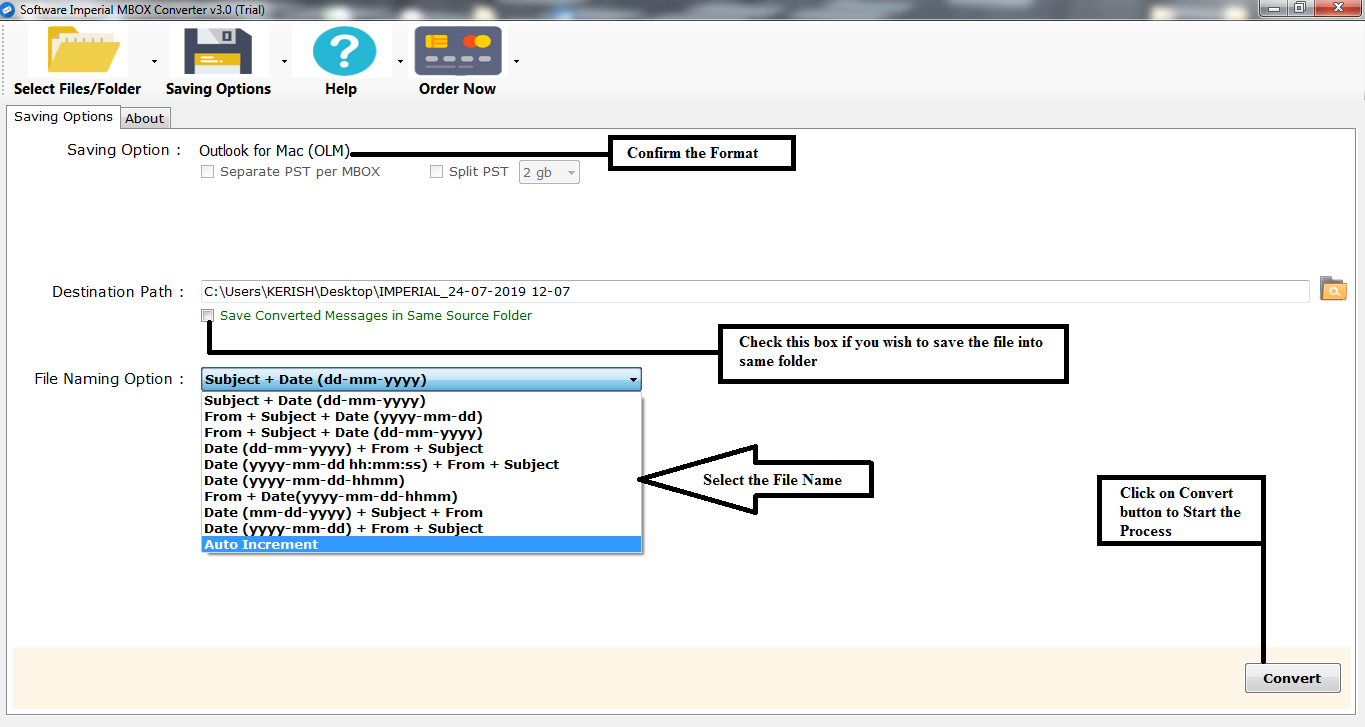
- Finally, click “Convert” and the software will start exporting all selected MBOX emails into PST format.
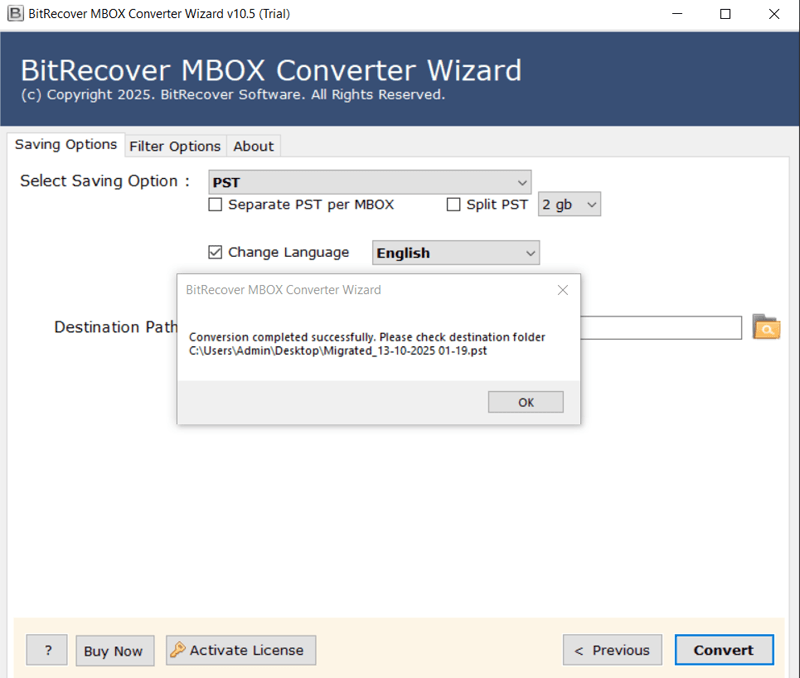
Main Features of MBOX to PST Converter
There are following features of MBOX to PST Converter tool that helps you to convert file without any difficulty and keep your data safe:
- It provides a dual selection option and allows you to choose single or multiple MBOX files or entire folders for quick conversion.
- It helps users to convert batch MBOX files together and saves time.
- The software also offers custom file naming options and save files at desirable locations for better file organization and easy access.
- It also provides 30+ saving options and you can easily convert MBOX to PDF, PST, EML, MSG, HTML, CSV and more.
- It is compatible with all versions of Windows whether the latest or oldest and also has a user-friendly layout for beginners or experts.
- It also allows users to convert MBOX files with attachments without losing any information or data.
- The software provides advance filter option in which you can filter emails by Date Range, Subjects, Folder, Attachments and more
- It offers a free trial version for better experience and allows users to test the conversion process before upgrading.
Conclusion
Using a professional MBOX file to PST converter tool is highly suggested due to the numerous issues that might arise when using the manual methods they require skill and patience However, automated tools allow you to export MBOX to PST without any errors, provide accuracy, speed, and complete data protection. It also offers free demos and easily converts files without having technical skills or knowledge.